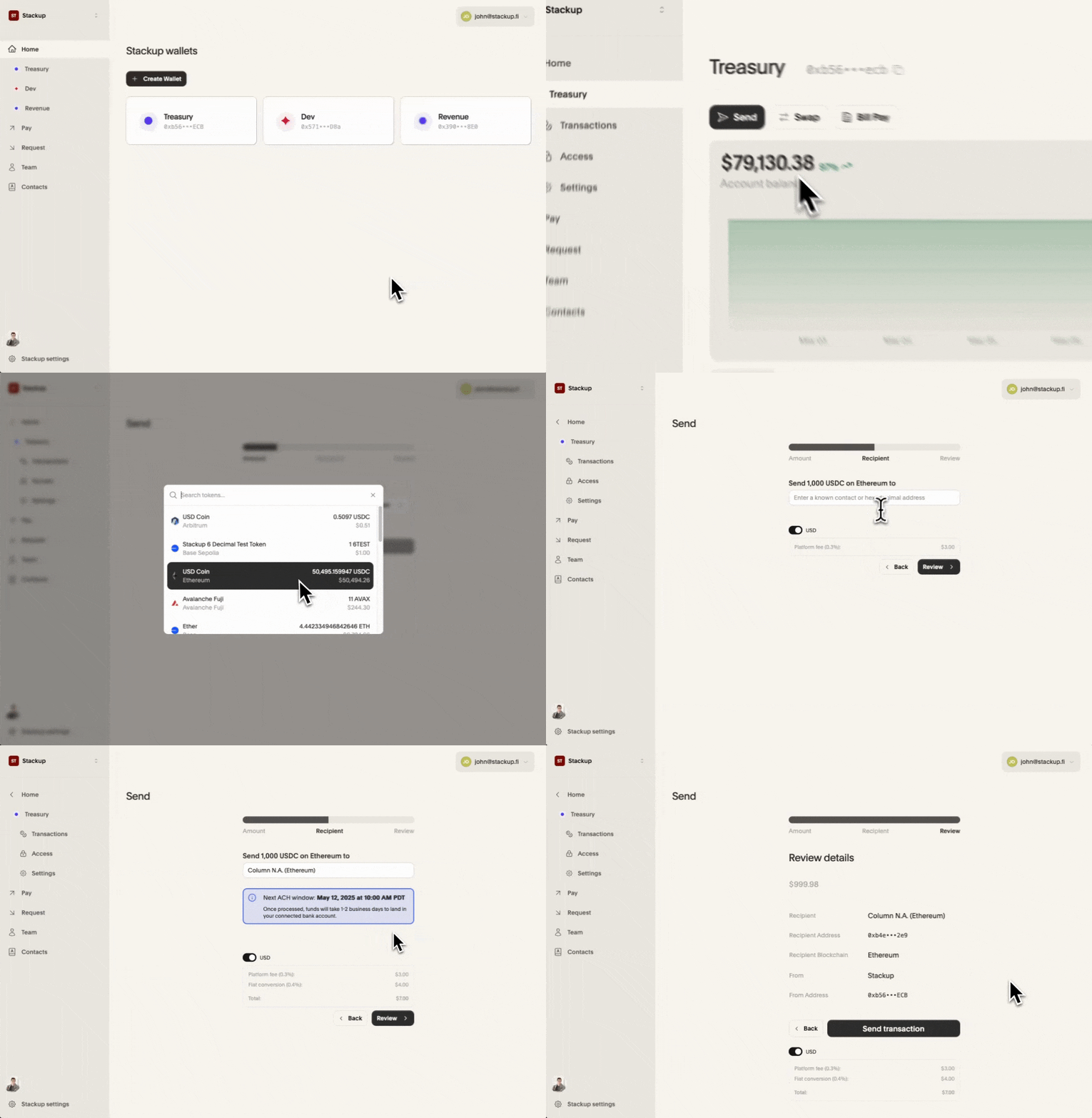
Once you connect your bank to your organization, you can send funds from your wallets to your bank.
From your dashboard, select a Wallet
Click Send
Enter the amount of USDC you want to send and click Next
Select your bank’s proxy address for the blockchain you are sending funds on
Review and Send
Caution
Only transfer USDC to a proxy address
Double-check the proxy address. Each blockchain has a different proxy address.